
You can shop in bulk, ship in bulk, and, now with Social27, you can add session resources in bulk. Follow the steps below to easily upload multiple session resources in bulk using an excel template.
- Simply log in:- https://build.social27.com/
- Select Content and Select Sessions
|
|
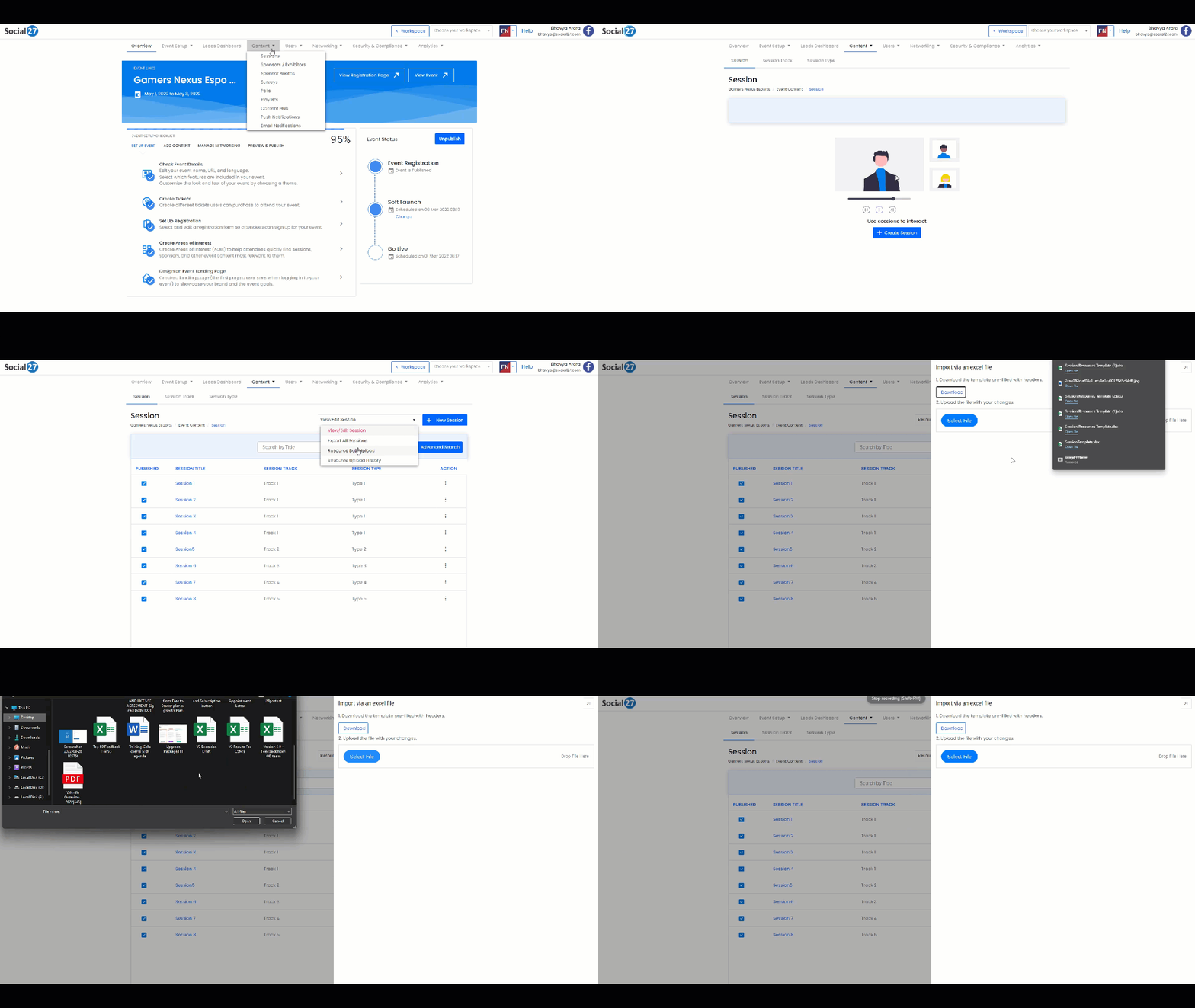
- Select Resource Bulk Upload from the drop-down and then select the download button to download the template.
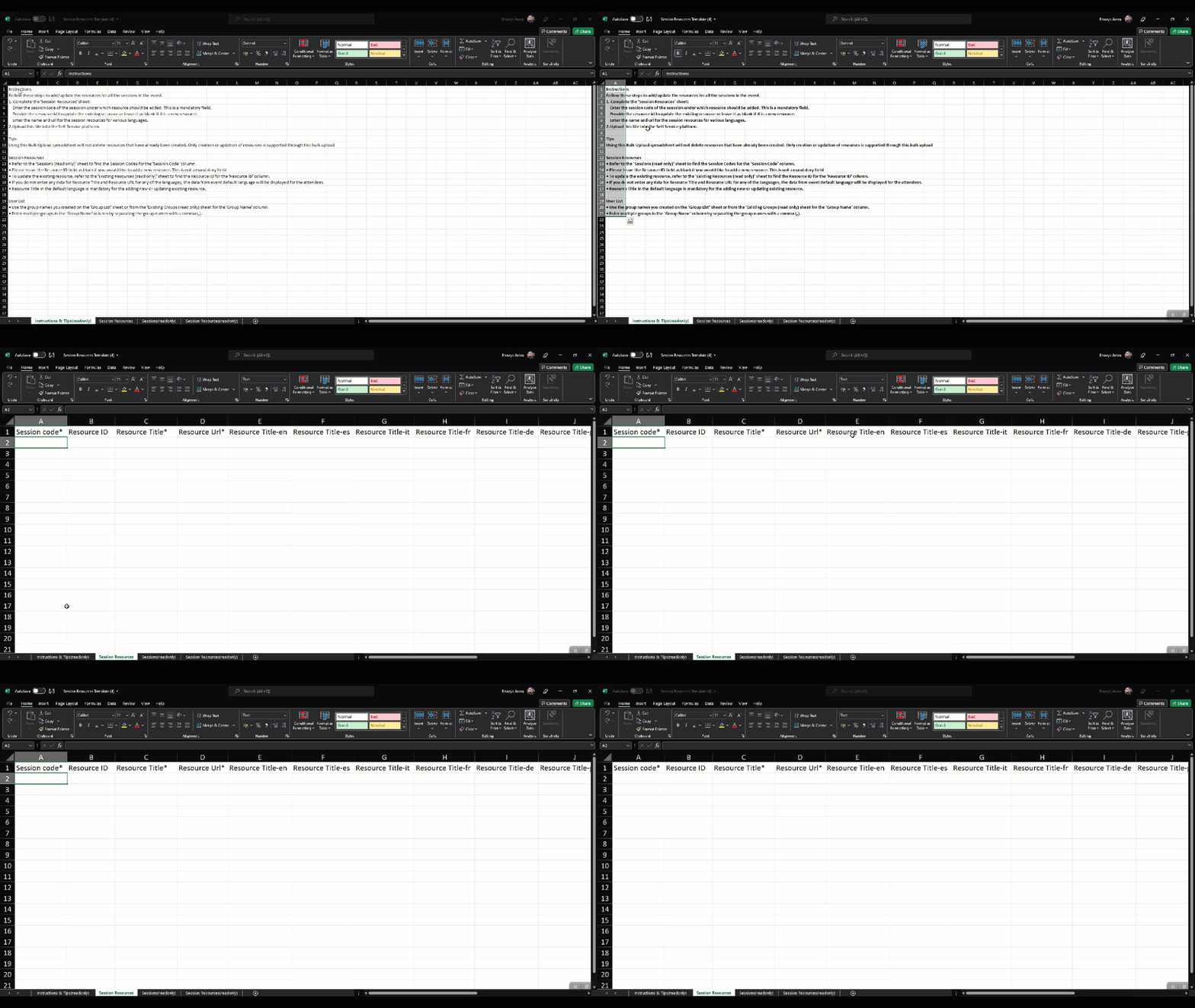 |
 Note: - Please read the instructions carefully and fill in the details like Session Code(which will only appear in the excel files if sessions are uploaded before uploading the resource and its important to upload sessions first before uploading session resources in bulk) Note: - Please read the instructions carefully and fill in the details like Session Code(which will only appear in the excel files if sessions are uploaded before uploading the resource and its important to upload sessions first before uploading session resources in bulk) |
- Please fill the all the mandatory fields like Resource Title and Resource URL ( These fields are supported in 9 different languages.
- Once done simply save the file and upload it.
 Further Reading :
Comments
0 comments
Please sign in to leave a comment.